





5 Risks to Consider If You Have a Smart Home
Is your smart home really safe? From Wi-Fi hacks to lock glitches, learn five hidden smart home risks every owner should know to stay properly covered.

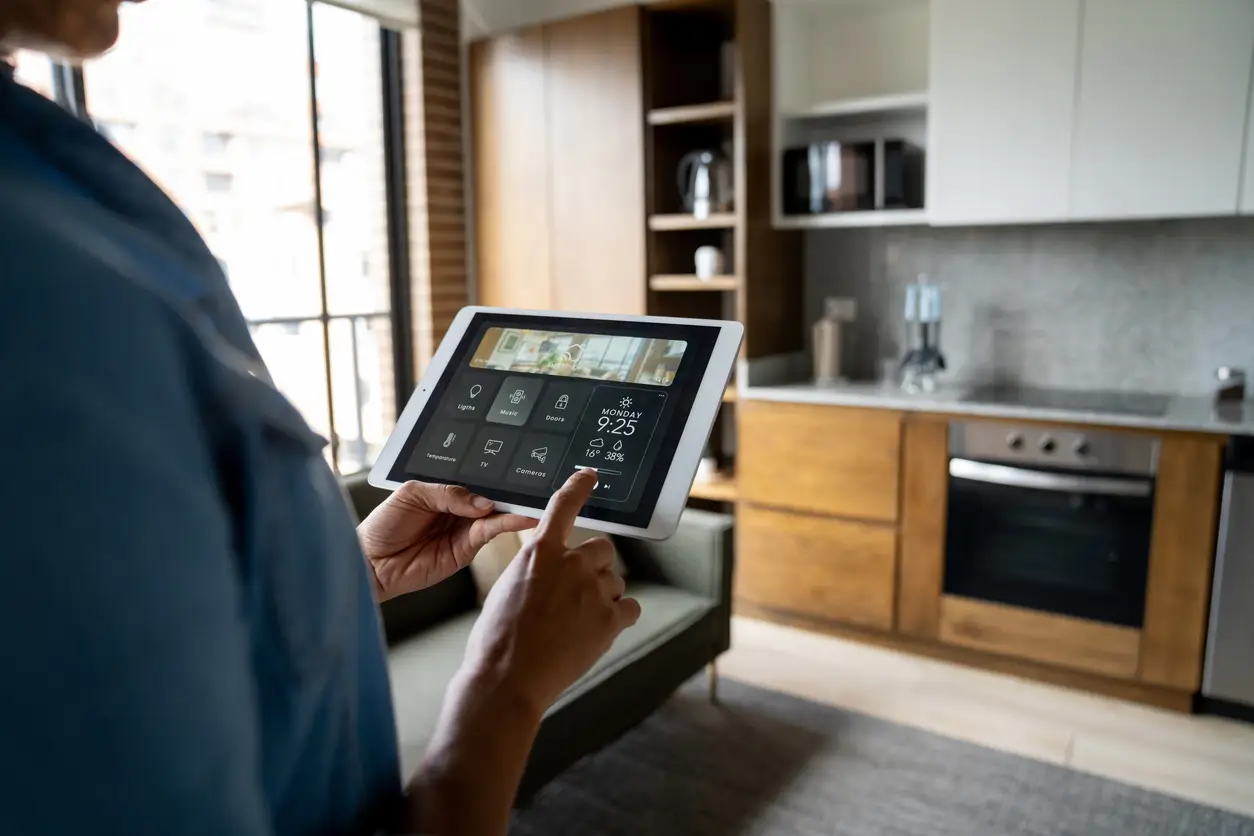
Smart home gadgets make life convenient, allowing you to dim lights with your voice or check your front door from anywhere. However, having many connected devices brings new risks. Take a look at our handy smart home risk checklist for homeowners, whether you live in an HDB, condo, or landed house in Singapore.
Risk checklist for smart home owners
| Risk | Action to take |
| Privacy & monitoring | Set up a separate "Guest" Wi-Fi network for smart devices. |
| Fire hazards | Change default passwords and turn on two-factor authentication. |
| Outdated devices | Enable automatic firmware updates and replace devices past their End-of-Life date. |
| Smart lock failures | Choose locks with physical key overrides and set up real-time unlock alerts. |
| Wi-fi & cyber attacks | Move all smart devices onto a separate guest wi-fi network with WPA2/WPA3 security. |
Here are five key risks to keep in mind if you live in a smart home.
Risk #1: Privacy concerns & unwanted monitoring
Smart cameras, voice assistants, motion sensors, baby monitors, and connected doorbells can all collect information as part of how they work.
Some devices may store video clips. Others may collect voice commands, usage patterns, or movement data.
Over time, these details can say quite a lot about your household routines. This matters even more in homes with vulnerable individuals like children and elderly parents.
Before installing a device, ask:
What information does this device collect?
Where is the data stored?
Who has access to the account?
Can recordings be deleted?
Are microphones or cameras always active?
What happens if the device is sold, passed on, or thrown away?
How to minimise this risk
Limit cameras to public spaces: Maintain strict boundaries by keeping cameras limited to your living room, dining room, and entryway. Keep it away from private bedrooms and washrooms. Do also remember to inform guests and domestic helpers about camera placements.
Turn on Two-Factor Authentication (2FA): Enable 2FA on apps like Ring, Google Home, or Tapo so compromised passwords won't give strangers access to live feeds.
Use physical privacy shutters: Purchase cameras with motorised privacy lenses which physically rotate inward when set to "At Home" or install manual slider covers over indoor camera lenses when family members are present.
Manage data offboarding: Before selling, returning, or disposing of a smart camera, perform a factory reset and manually delete the device from your cloud account to purge archived cloud recordings.
Risk #2: Fire hazards from cheap devices
Devices bought on cross-border e-commerce platforms are frequently built for lower voltage standards or lack compliance testing for Singapore's grid. They may subsequently short-circuit, overheat, or fail under high voltage.
How to minimise this risk
Look for the SAFETY mark: Ensure smart plugs, power adapters, and smart wall switches carry the SAEFTY mark issued by the Consumer Product Safety Office (CPSO). Each valid mark includes a unique 8-digit registration number traceable on the official CPSO database.
Match the load appropriately: Standard 13A smart plugs should only power low-wattage items (lamps, fans, TVs). Try not to run high-draw appliances like induction cookers, air fryers, or water heaters through basic smart plugs.
Avoid overloading outlets: Do not plug high-power appliances (like space heaters) into basic smart plugs.
Maintain physical ventilation: Avoid tucking smart hubs, transformers, and smart plugs behind heavy curtains or jammed into tight TV console gaps where tropical humidity and trapped heat accelerate insulation breakdown. Fireproofing your home is important!

Risk #3: Outdated devices
Smart devices need regular software updates from the manufacturer to stay safe. When older devices stop receiving updates, they become easy targets for malware and cyberattacks.
When buying smart home products, it helps to consider:
Whether the brand provides regular updates
Whether the device works without a paid subscription
How easy it is to replace parts, batteries, or accessories
Whether it can still function manually
Whether it connects well with your existing system
This matters more when the device is linked to access, safety, or daily routines, such as digital locks, doorbells, alarms, or air-conditioning controls.
How to minimise this risk
Enable automatic updates: Turn on auto-updates in device settings so security patches install immediately.
Check connected devices annually: Review the manufacturer's End-of-Life (EOL) policy once a year. If a vendor stops releasing security patches for an older device, disconnect it from your Wi-Fi network and replace it with a supported model.
Risk #4: Smart lock failures
Digital locks and smart garage doors offer great keyless entry, but they rely on software. Glitches, lost signals, or hacking can leave your home unlocked without any physical damage, which can may make theft claims harder to prove.
How to minimise this risk
Maintain mechanical backup options: Always buy smart locks that include emergency physical key overrides or an external 9V battery jump-start terminal on the outside keypad. Store a mechanical backup key in a secure location outside your flat (e.g., at a trusted family member's home or office).
Enable real-time entry alerts: Set up instant app notifications whenever the lock is disengaged, and review access logs regularly to detect unusual access attempts or repeated failed PIN codes.
Risk #5: Wi-fi & cyber attacks
Every smart device connected to your home Wi-Fi is a potential door for hackers. If passwords are simple, apps are outdated, or default settings are left unchanged, a device may become easier to access without permission.
How to minimise this risk
While this does not mean every device is unsafe, you can carry out basic digital housekeeping.
Change default passwords once a device is installed
Use strong, unique passwords for smart home accounts
Turn on two-factor authentication where available
Update device software and apps regularly
Remove access for old users, tenants, or guests
Avoid connecting unknown or unnecessary devices to your home Wi-Fi
Create a separate Wi-Fi network specifically for your smart home devices so they stay isolated from your personal laptops and phones.
Use modern WPA2 or WPA3 security settings on your home router.
Ensure better home protection with a smarter way of living
Smart home technology brings effortless convenience to everyday life, especially for busy households. But beyond digital security, don't overlook traditional home insurance.
Take the time today to review your coverage for home contents, renovated fixtures, and smart installations so your peace of mind is fully protected.
Income’s Enhanced Home Insurance protects your home against unforeseen circumstances, offering you protection for your house building1, its contents2 and renovations3 against fire4, burst pipes5, theft6 and more.
This can be useful as your home setup changes over time, especially if you have invested in renovations, furnishings, appliances, or smart home devices.
Also, get peace of mind for assistance on home emergencies such as plumbing, electrician, locksmith, pest control and air-conditioner repair services, with Income's Emergency Home Assistance7.
When choosing your home insurance, you may want to review your coverage when your home changes. This could be after:
A major renovation
Moving into a new flat, condo, or landed property
Buying several high-value smart appliances
Installing digital locks, cameras, or automated systems
Upgrading your home office setup
Renting out your home or room
Replacing older appliances with connected models
Speak with an Income advisor to find out more!

Frequently Asked Questions (FAQs) about smart home risks
1. What are the risks of a smart home?
Smart home risks can include cybersecurity vulnerabilities, privacy concerns, internet outages, software issues, device compatibility problems, and electrical faults. These risks usually come from how connected devices rely on Wi-Fi, apps, cloud services, and shared access. The more devices you add, the more important regular updates, strong passwords, and safe installation become.
2. Can smart home devices be hacked?
Yes, smart home devices can be vulnerable if they use weak passwords, outdated software, or unsecured networks. Take precautions by changing default passwords, updating devices regularly, using two-factor authentication where available, and avoiding sharing account access too widely.
3. What happens to smart home devices when the internet goes down?
It depends on the device. Some smart devices can still work manually or through local controls, while others may lose remote access, alerts, or app-based functions. For important devices such as digital locks, cameras, and alarms, check the backup options before relying on them fully.
4. Are smart locks safe for homes?
Yes, but safety depends on the product, installation, access settings, and backup method. Choose reputable devices, update the app, remove access for old users, and keep an alternative way to enter your home. It is also worth checking whether the lock still works when there are battery, app, or internet issues.
1 Building means the following:
For Housing Development Board (HDB) flats, condominiums, apartments or cluster houses, it will include the building structure (but not the foundations), fixtures and fittings based on HDB’s or the property developer’s standard specifications. This means we will not cover areas you do not own or which are not provided just for your use. For example, this can include shared areas such as corridors, car parks, stairways, lift lobbies and swimming pools.
For landed properties such as bungalows, semi-detached and terrace houses, it will include the building structure (but not the foundations), garages, outbuildings, swimming pools, terraces, footpaths, driveways, gardens, gates, fences and other private areas you own and which the public do not have access to.
2 Contents means any physical and movable household items or personal belongings including money, valuables, bicycles, and personal mobility devices, kept within the premises that belong to you or your family members. Exclusions apply. Please refer to the policy contract for the exclusions and the benefit sub-limits for each type of content.
3 Renovations means improvements and additions made within the premises by you or any previous owner or tenant in the form of fixtures and fittings. For example, this could include flooring, built-in wardrobes and kitchen cabinets. They do not form part of the building cover.
4 Fire is an insured event.
5 Bursting or overflowing of domestic water tanks, apparatus or pipes in your premises (but not damage to water tanks, apparatus and pipes and expenses for tracing the source of the leak). The premises must not be left unoccupied. Unoccupied means when the premises have not been lived in by you, or by a person authorised by you, for more than 60 days in a row.
6 Actual or attempted theft as long as force and violence are used to get into or out of the premises. You must not leave the premises unoccupied. Unoccupied means when the premises have not been lived in by you, or by a person authorised by you, for more than 60 days in a row.
7 Income has arranged for our appointed Emergency Home Assistance company to provide policyholders with emergency plumbing, electrician, locksmith, pest control and air-conditioner repair services 24/7, subject to policy conditions. This bonus service is a complimentary service provided to you. It does not form part of the benefit provided under the policy contract. Income reserves the right to amend or discontinue the service at any time at its sole discretion without prior notice. Learn more at income.com.sg/home-insurance/EHA.
This article is meant purely for informational purposes and does not constitute an offer, recommendation, solicitation or advice to buy or sell any product(s). It should not be relied upon as financial advice. Please seek independent financial advice before making any decision.
The precise terms, conditions and exclusions of any Income Insurance products mentioned are specified in their respective policy contracts. The policies are protected under the Policy Owners’ Protection Scheme which is administered by the Singapore Deposit Insurance Corporation (SDIC). Coverage for your policy is automatic and no further action is required from you. For more information on the types of benefits that are covered under the scheme as well as the limits of coverage, where applicable, please contact Income Insurance or visit the GIA/LIA or SDIC websites (www.gia.org.sg or www.lia.org.sg or www.sdic.org.sg).

Related Articles


Related Articles


