
About Income Treats
Income Treats is a loyalty rewards programme that celebrates all things local. It aims to connect Income policyholders with the vibrant diversity of homegrown brands we know and love, while introducing exciting new gems that enrich our everyday lives.
More than just savings, it's about real value, everyday convenience, and the joy of supporting local businesses that resonate with you. Discover offers across daily essentials, home living, travel and leisure, wellness, family and pets, all in one place!
With year-round Everyday Treats, limited-time Featured Treats and Vouchers*, there’s always something new to discover. Regularly refreshed with new offers and seasonal highlights, Income Treats makes it easy to experience the very best of local.
Simply log in to your My Income account and start exploring your Treats today!
*Vouchers are available in limited quantities and on a first come first serve basis.
What you can look forward to


Be the first to know of new Treat launches
Stay connected by subscribing to Income Treats communication channels as listed below.
My Income app notifications
How to redeem Income Treats
Step 1:
Open your My Income App and login via Singpass or Email & Password.

Step 2:
Tap Rewards at the bottom right.
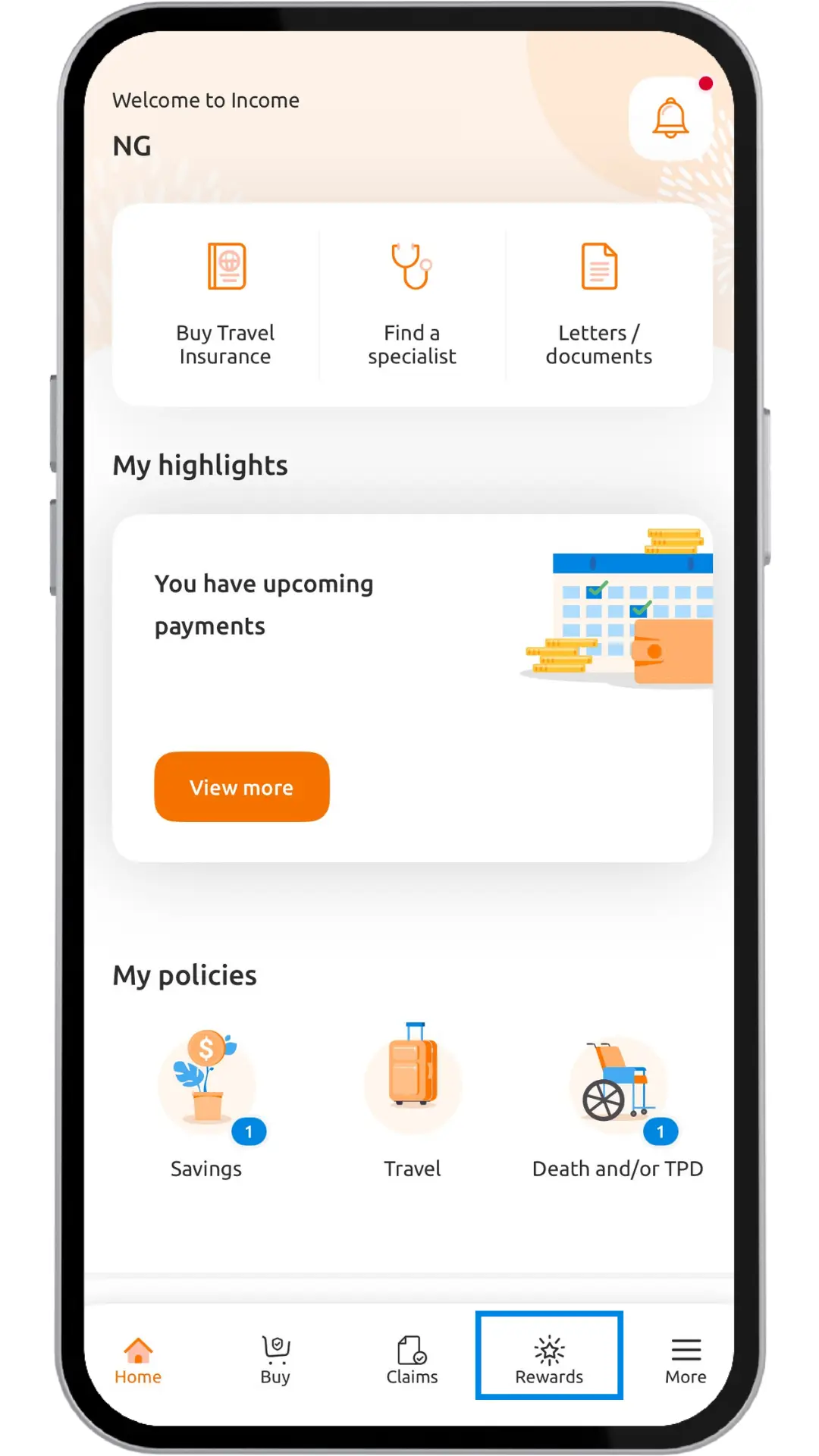
Next, select ‘Discover exclusive Income Treats’.
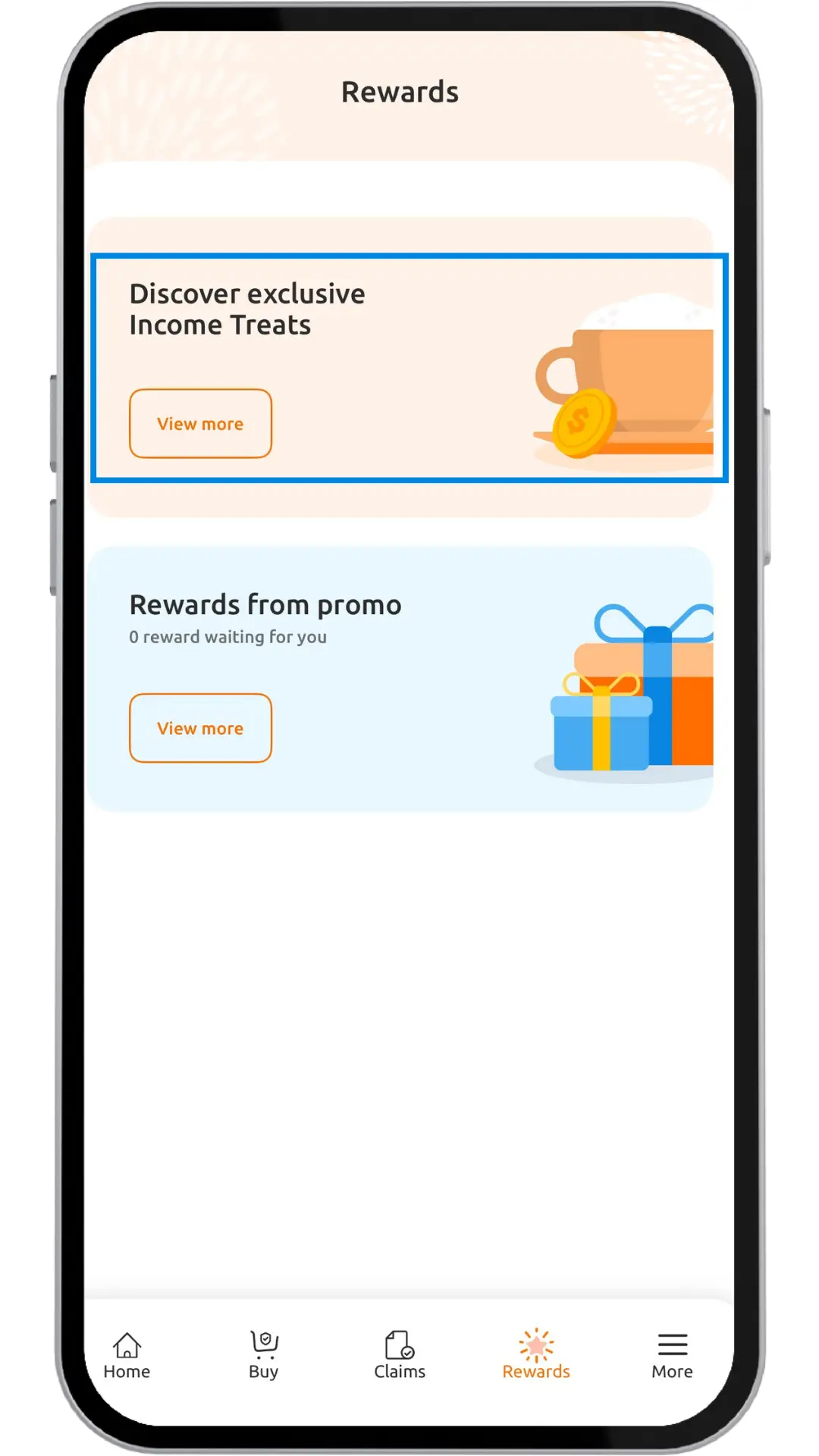
Step 3
Click the main banner to explore the newest Treats or scroll down to discover what’s available year-round.

You may use the search bar to key in a query or browse different categories by clicking the ‘Filter’ button on the right

Step 4:
Click the Treat you’d like to redeem and scroll down to click ‘Redeem’ at the bottom. There are two scrolls within the screen and depending on your screen size, you might need to use the outer scroll to find the ‘Redeem’ button. 
Step 5:
To access your voucher another time, click ‘Saved Treats’,
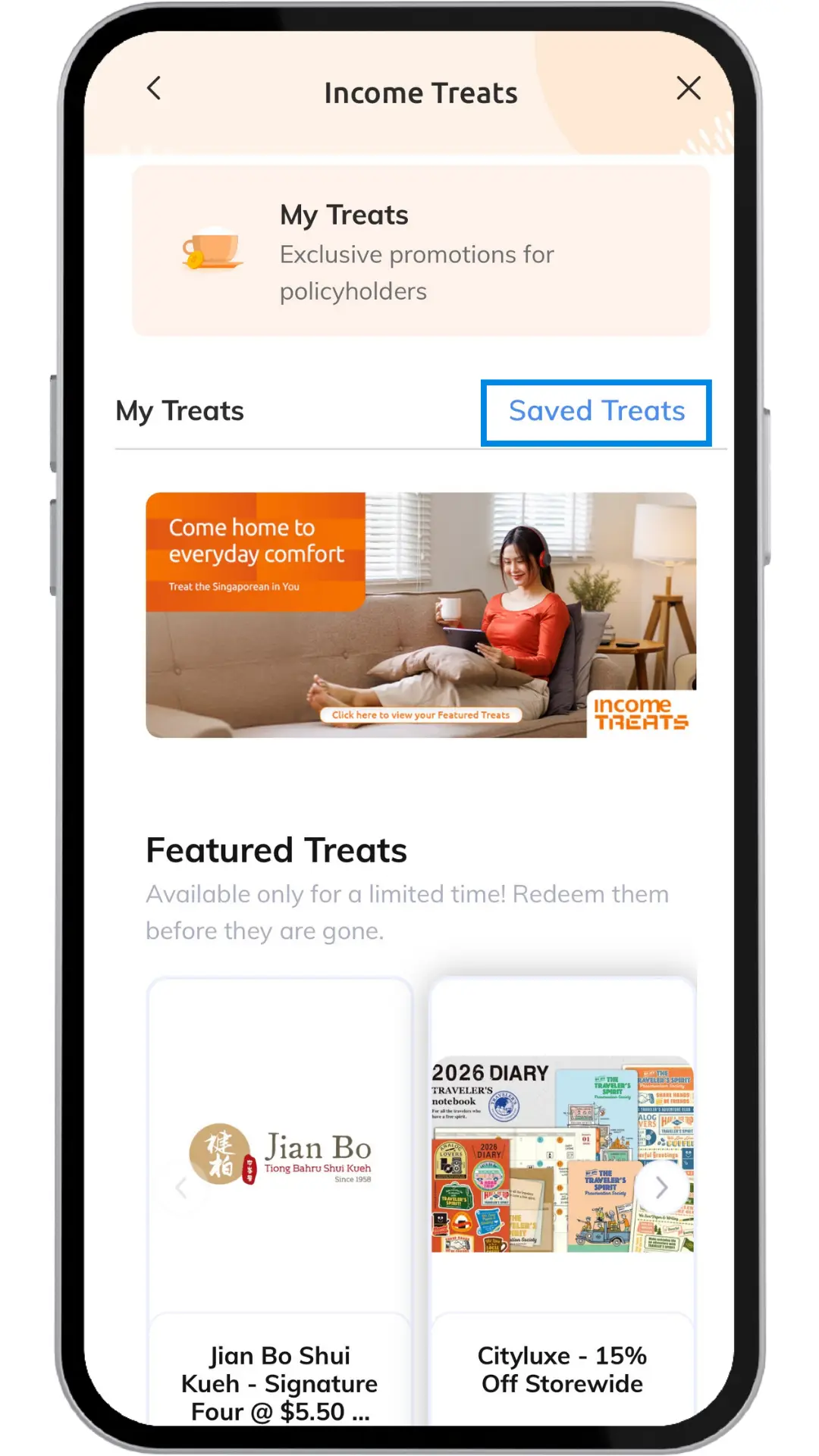
You can find a list of previously redeemed Treats in your ‘Saved Treats’. Select the Treat you wish to use and follow the redemption instructions. Enjoy your Treat!
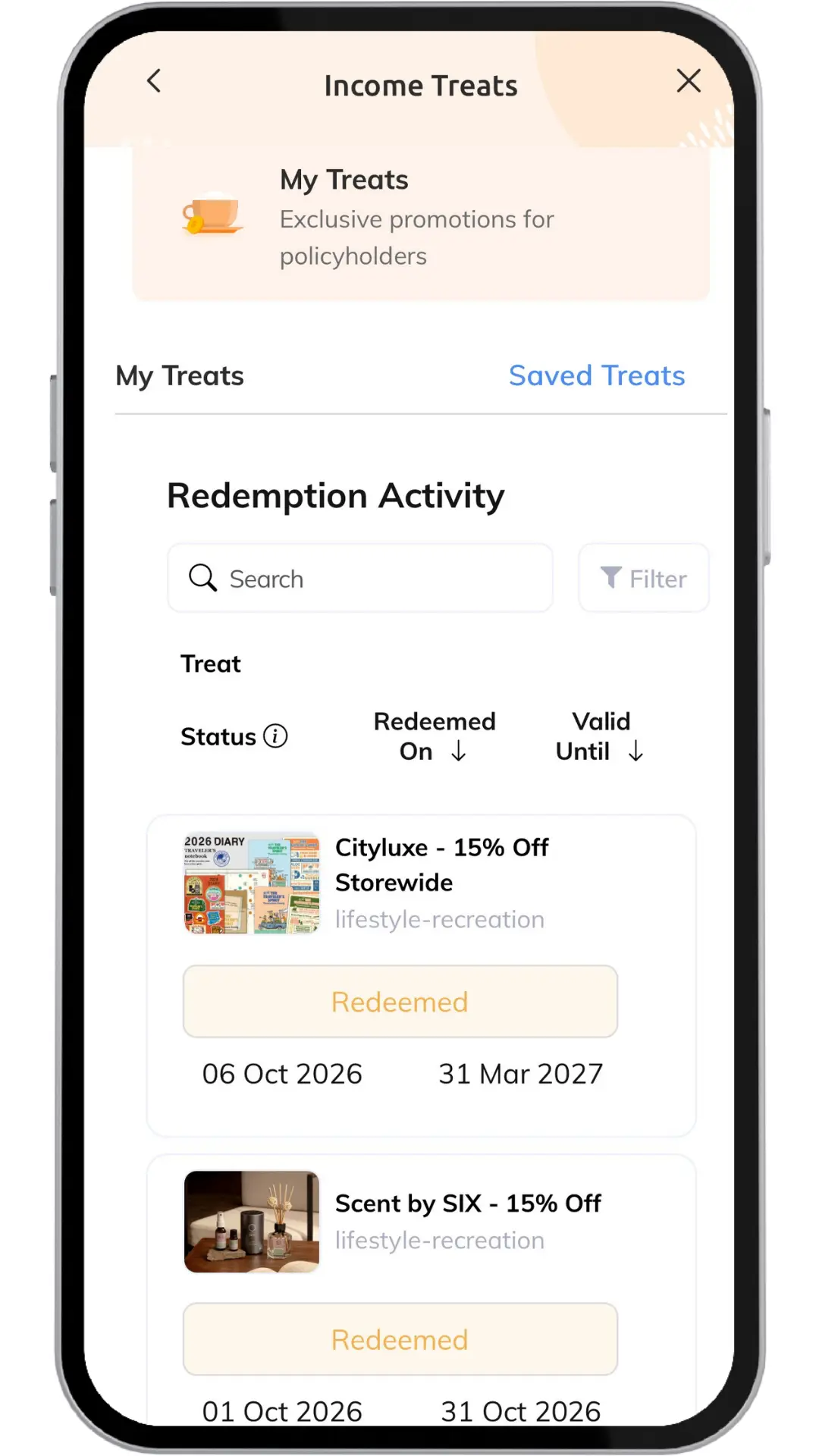
Step 6 (for e-voucher):
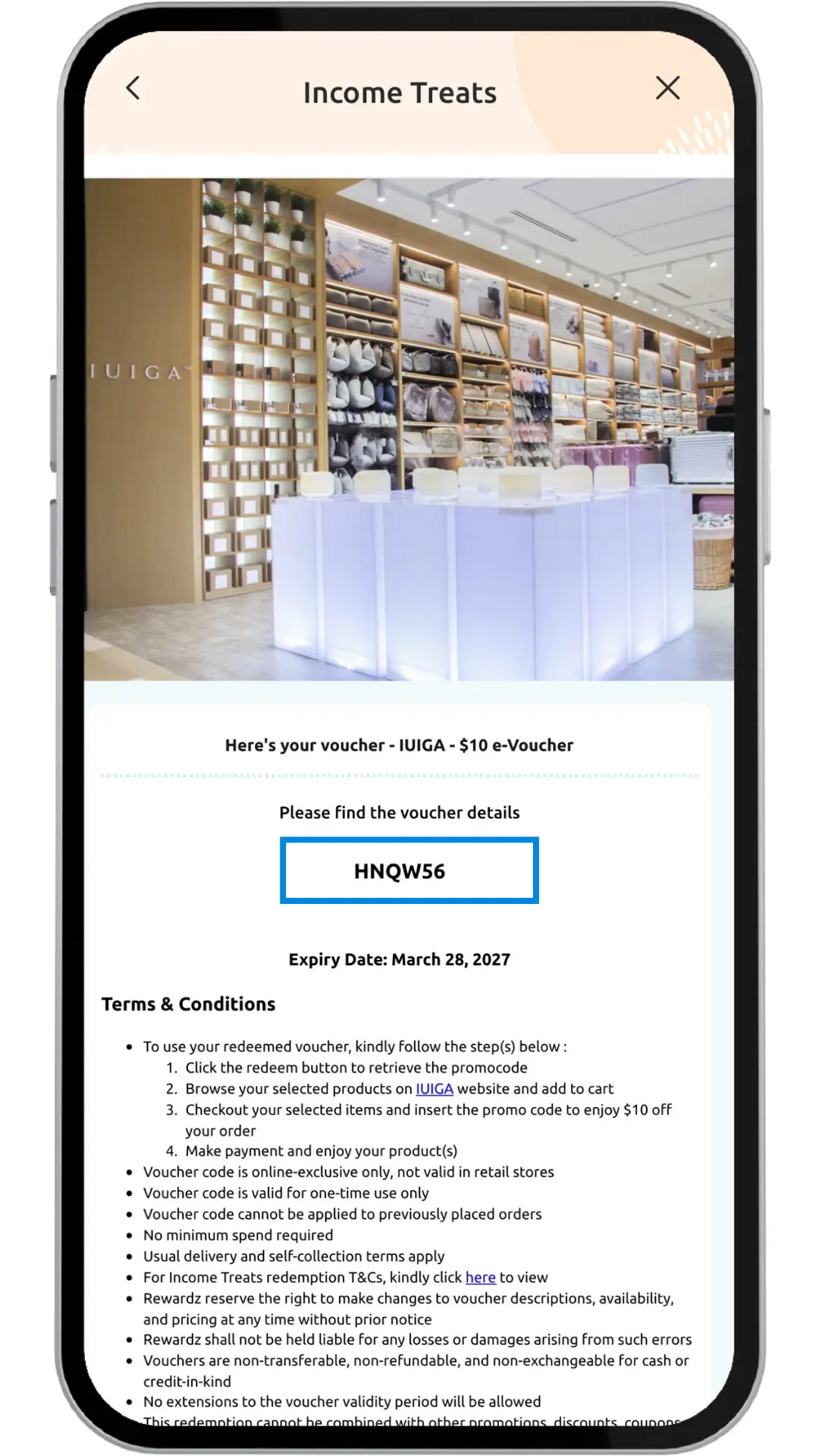
E-voucher redemptions will require a further step. Click into the e-voucher link which will open a new page with either a promo code or link to use the voucher.
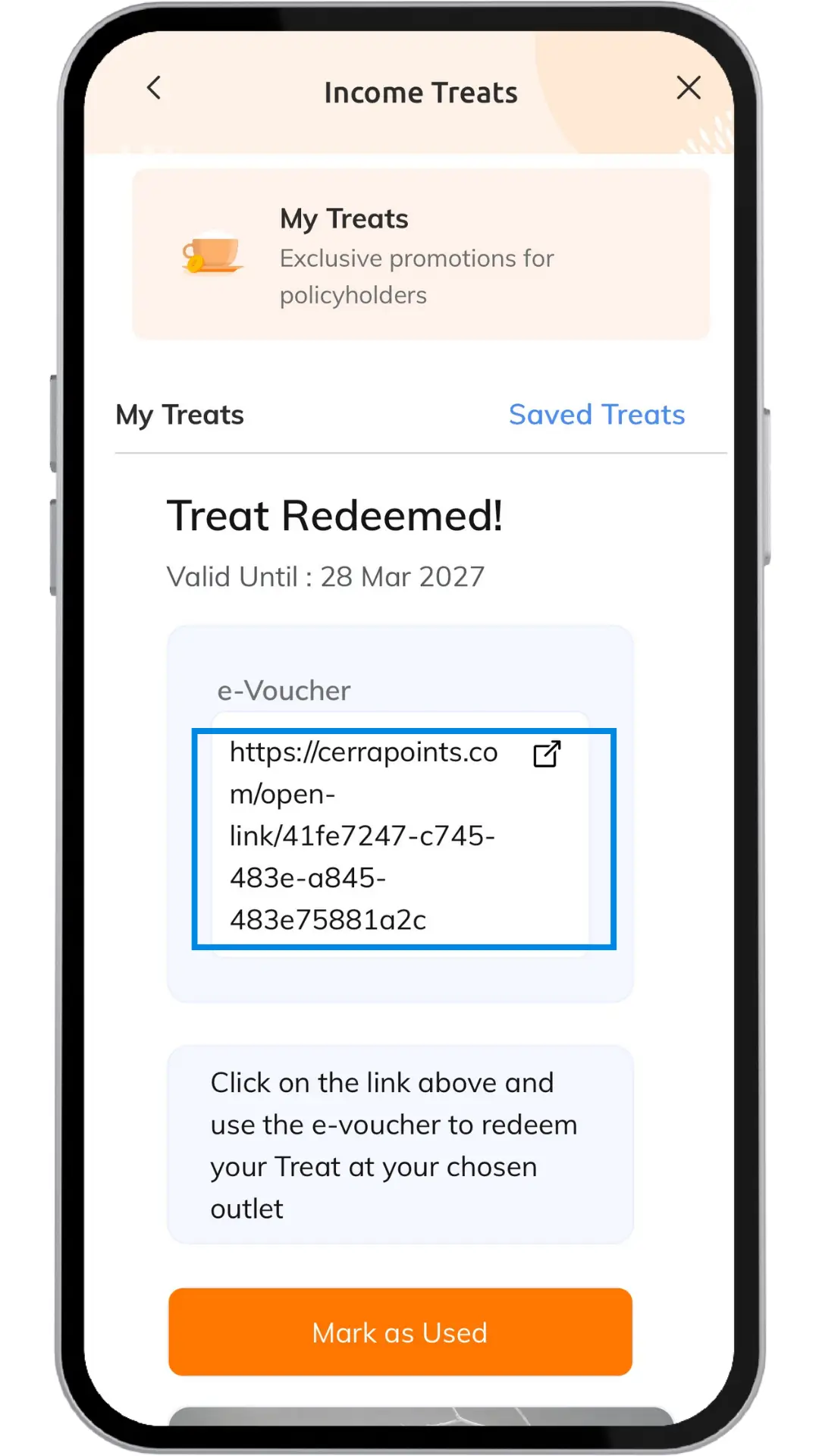
Along with the promo code or voucher link, the expiry date and full redemption instructions can be found here.
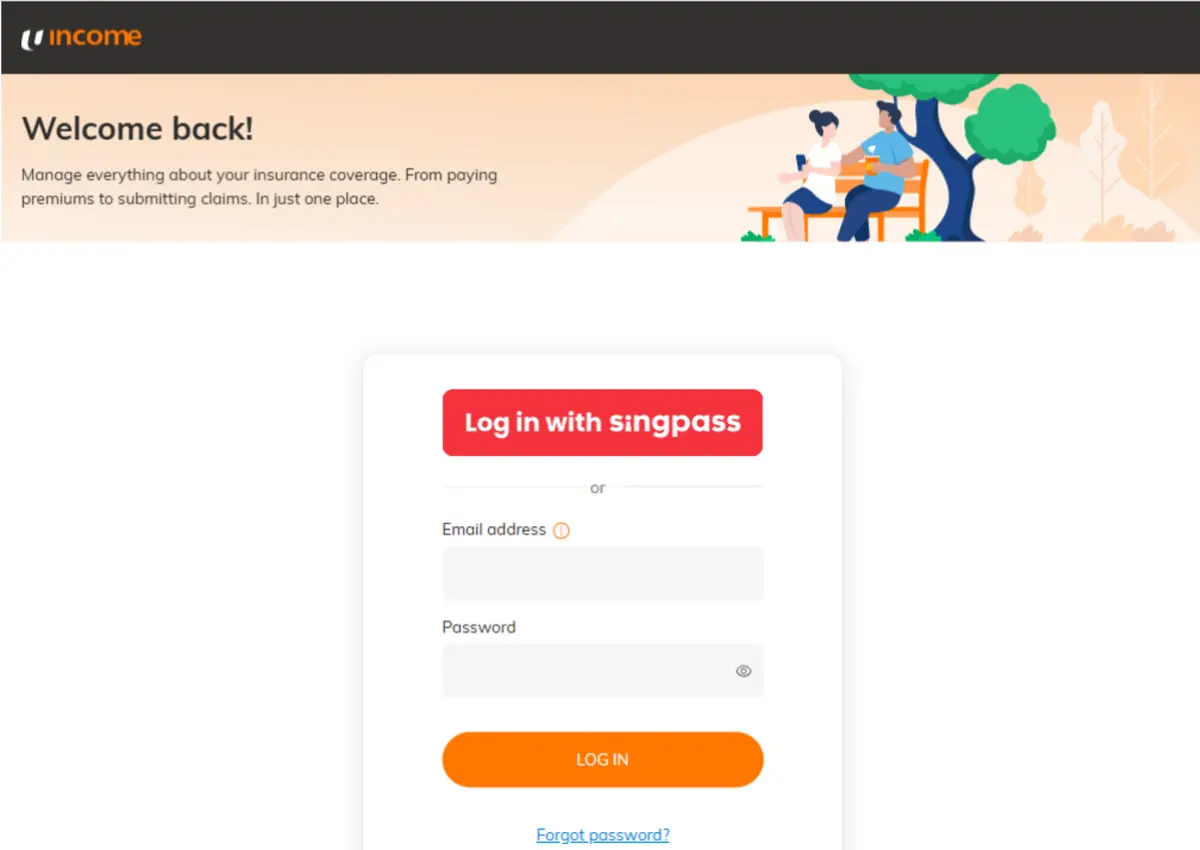
Step 1: Login
Visit me.income.com.sg/treats and login via Singpass or Email & Password.
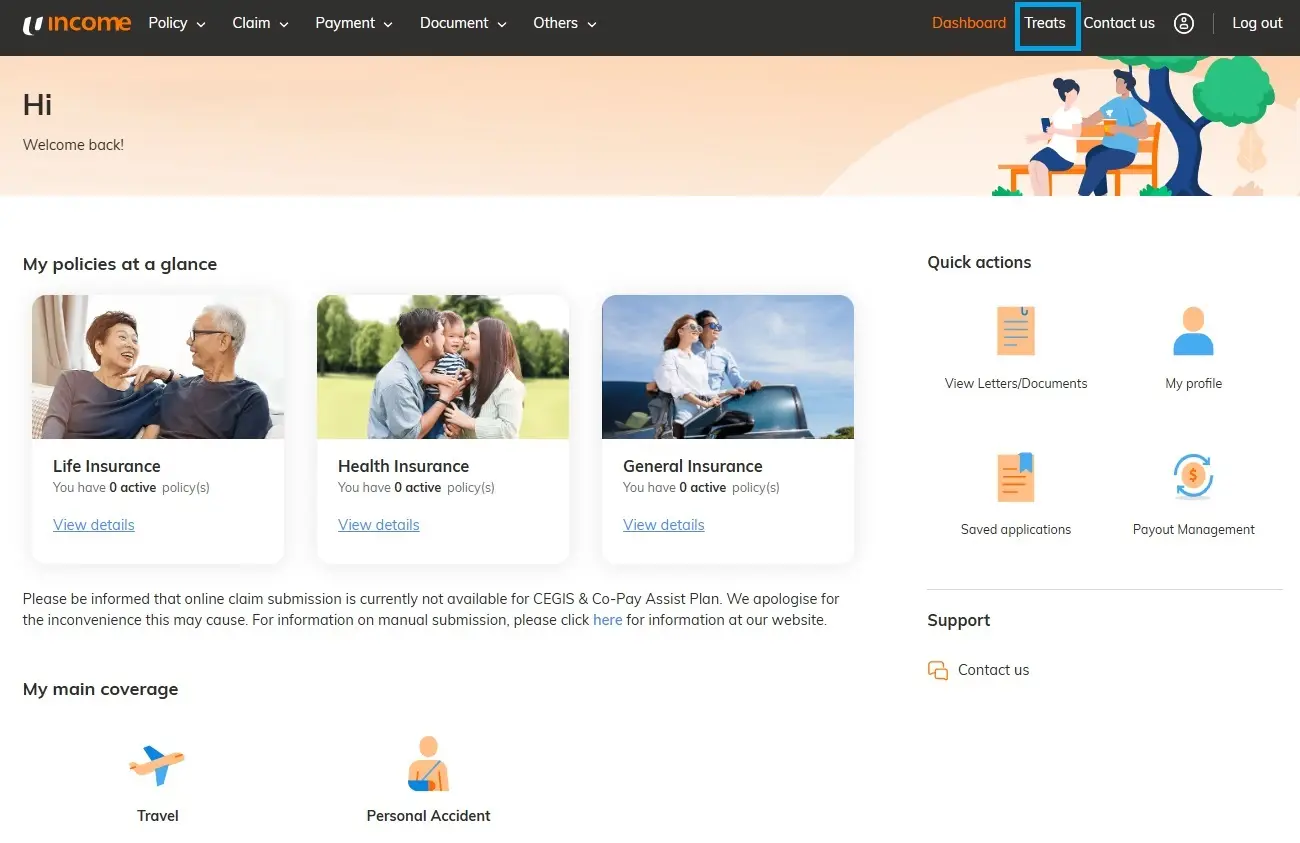
Step 2: How to navigate the page
From My Income Customer Portal Dashboard page, click ‘Treats’ on the top right navigation bar to access the Income Treats page.
Once you've accessed the Income Treats page, select the main banner to explore exclusive limited-time offers, or scroll down to browse Treats available throughout the year.
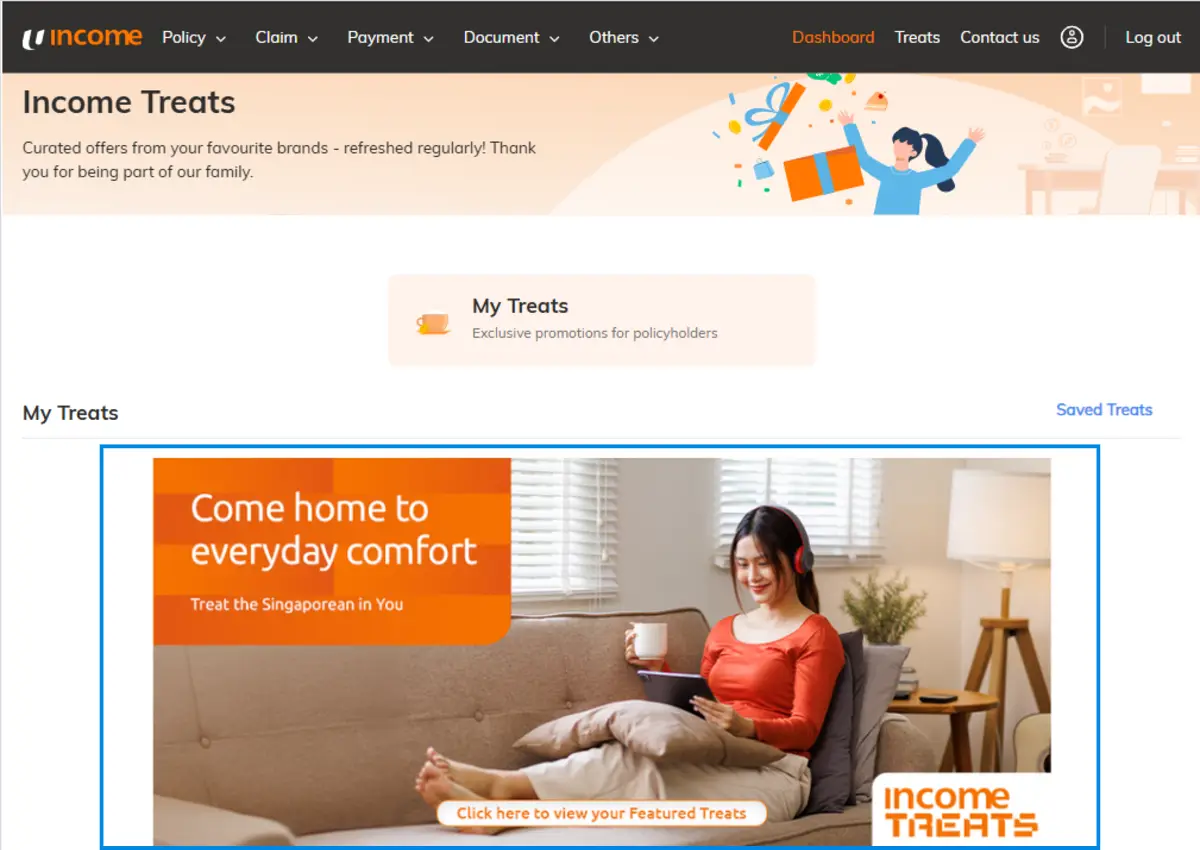
You may use the search bar to key in a query or browse different categories on the left.

Step 3: How to redeem
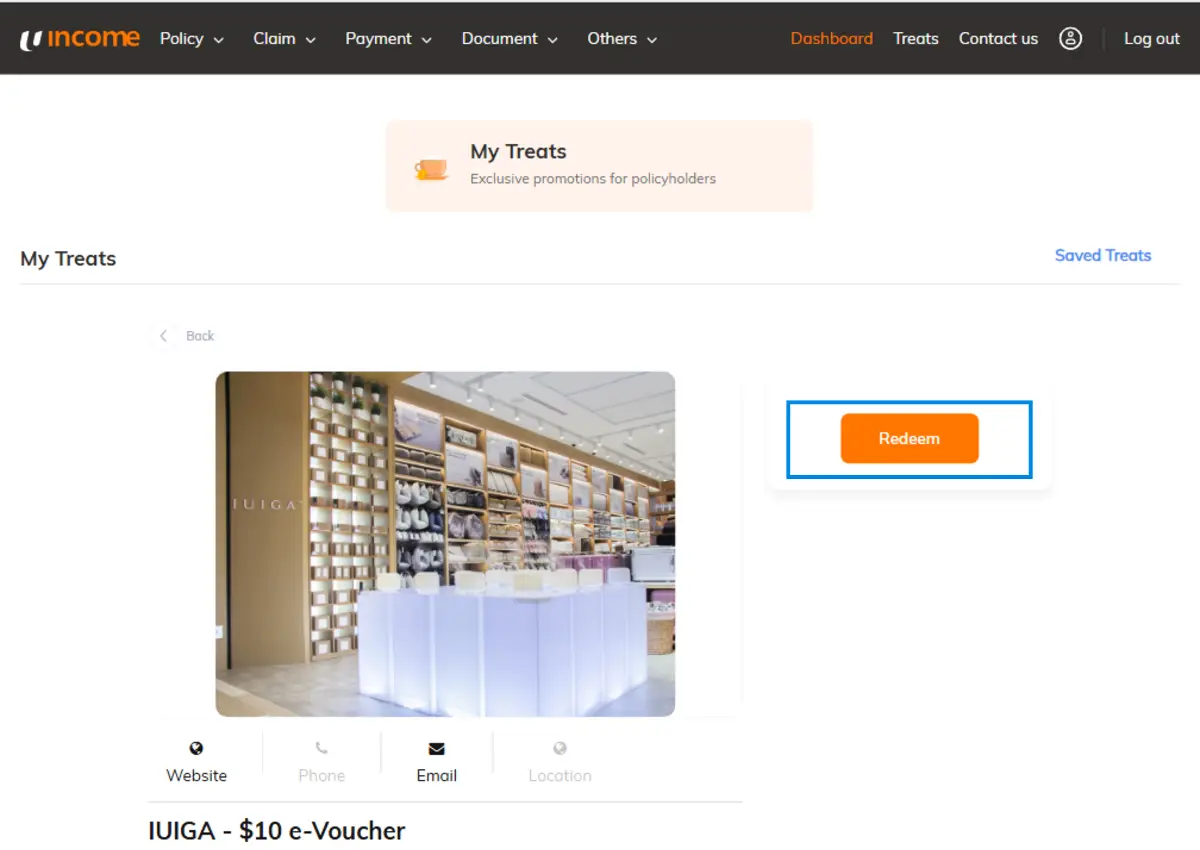
Click the Treat you’d like to redeem and scroll down to find more details.

Continue to redeem the Treat by Clicking the ‘Redeem’ button on the top right.
Step 4: Using the Treat
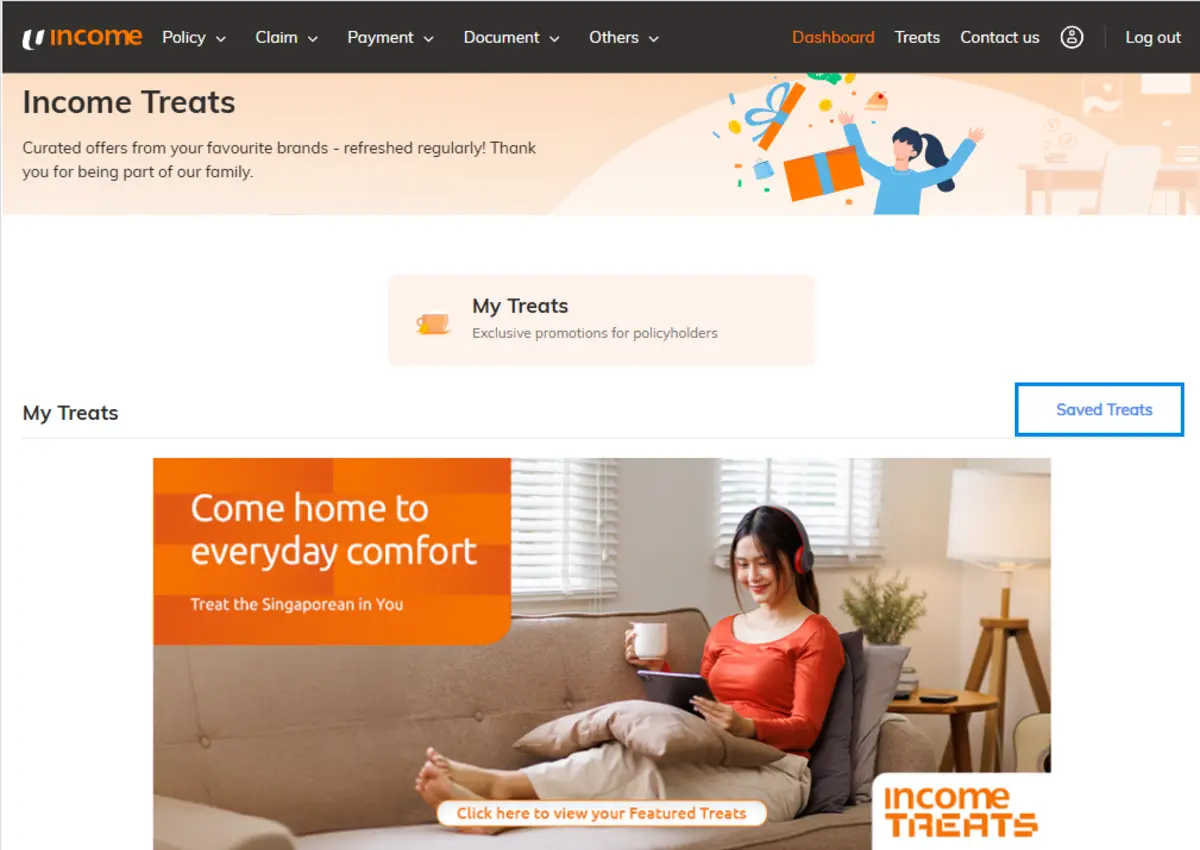
To access your voucher, click ‘Saved Treats’ to find all your previously redeemed Treats.
Select the Treat you wish to use and follow the redemption instructions. Enjoy your Treat!
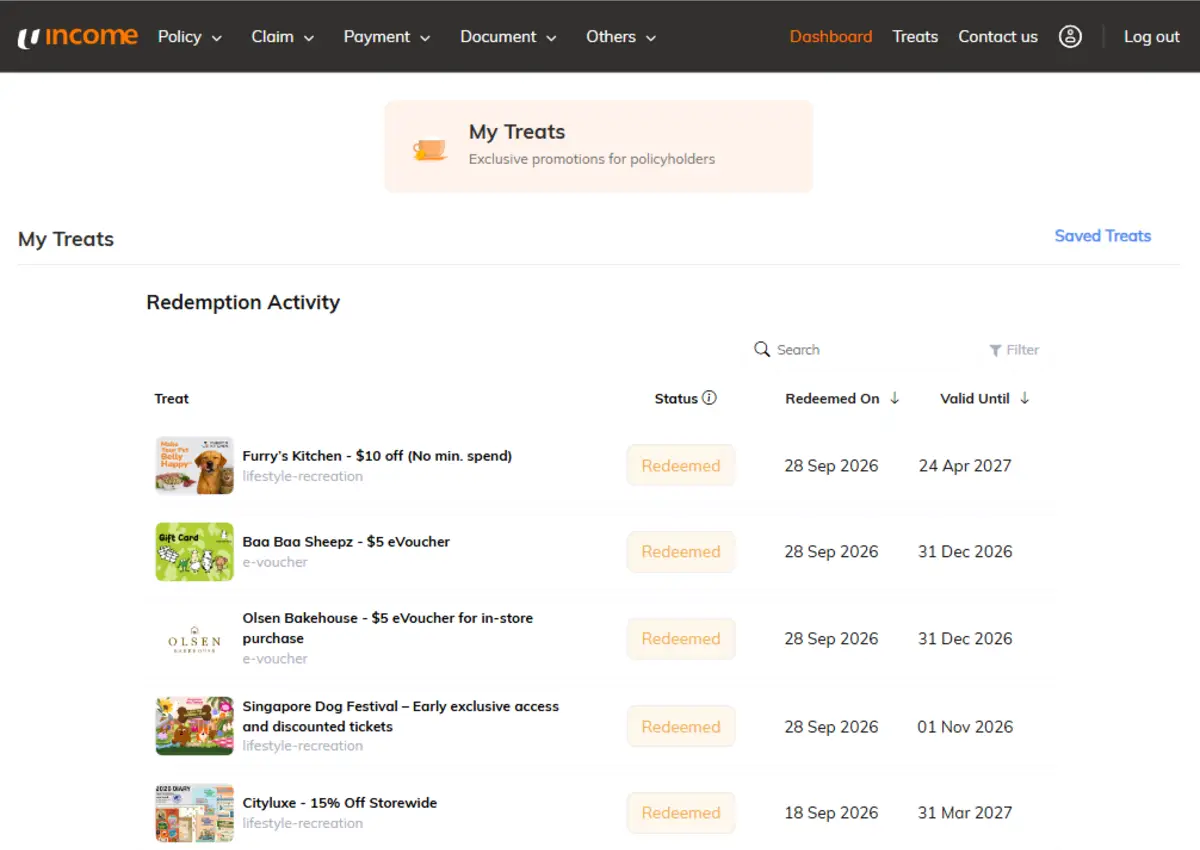
Step 5: Further explanation for Vouchers
Click the URL found on the right, which will open a new page with either a promo code or link to use the voucher.
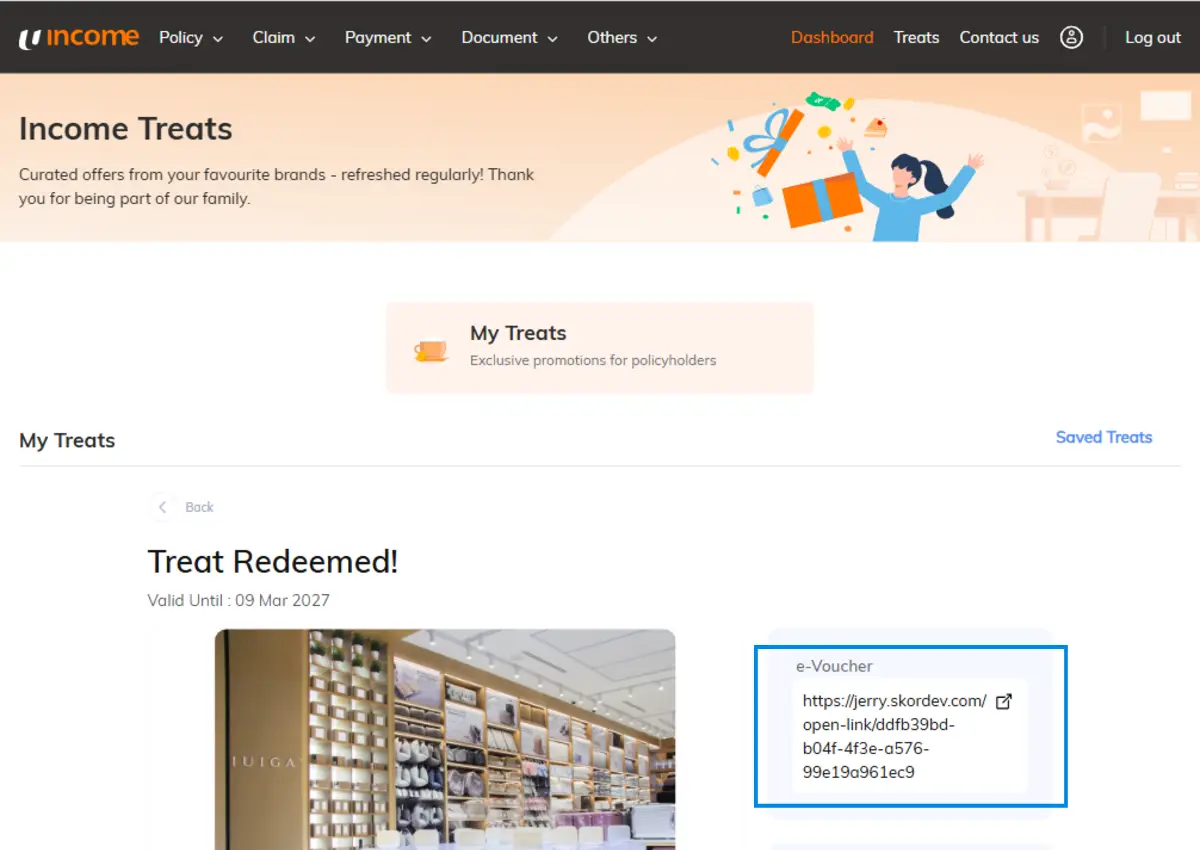
Along with the promo code or voucher link, the expiry date and full redemption instructions can be found here.

Calling all local brands - Join Income Treats and get discovered
Got a great offer? Let's make it a Treat!
We are always on the lookout for exciting local Singaporean brands to feature. Weather you are a household name or a hidden gem, we would like to feature your brand with our policyholder.
Drop us an email at [email protected] to connect and we will take it from there!
Income Treats FAQ
All policyholders with a valid My Income account are eligible.
Visit https://me.income.com.sg/treats and log in to your My Income account. Once logged in, you will be able to view and redeem the available Treats. If you do not have an account, you can register for one at https://me.income.com.sg/register
After logging in to your My Income account, browse the available Treats and click on your selected Treat to view full redemption details and its specific Terms and Conditions.
Featured Treats FAQ
Featured Treats are exclusive, limited-time offers from selected merchants, available only to our policyholders.
New Featured Treats are launched throughout the year. If you are subscribed to Income Treats communication channels, you’ll be notified whenever a new launch happens.
You will receive updates through the following communication channels:
- Email: Ensure your Marketing Material Option (MMO) status is set to “yes”. You can update your MMO option by logging in here.
- Push Notification: Download My Income App from the App Store or Google Play and enable notifications.
- Facebook: Follow us on Income’s Facebook page, https://www.facebook.com/IncomeInsurance/
Birthday Treats FAQ
Birthday Treats are specially curated offers and perks for policyholders to enjoy during their birthday month. These Treats are only redeemable during your birthday month
Starting from July 2025, we are introducing a new selection of personalised Birthday Treats exclusively curated for each individual policyholder. Look out for the Birthday greeting email during your birthday month to discover your personalised surprise Birthday Treat.
In addition, you can enjoy various other birthday perk. Visit the Birthday Treats section on the Income Treats website for the full catalogue of Birthday Treats during your birthday month.
You will receive a Birthday email from Income three days before your Birthday month begins. Alternatively, you can login to https://me.income.com.sg/treats during your birthday month to view and redeem your Birthday Treats.


